

You wrote the guest post, agreed the placement and watched it go live. The link only does its job, though, if four separate things are true at once: it is present on the page, it is dofollow, the host page is indexed by Google, and your link is not buried among dozens of others. Any one of them can fail quietly weeks after publication, which is why verifying a placement matters as much as landing it.
This guide walks through how to check each condition by hand, and what Google’s own documentation says about guest post links. Doing all five checks manually, for every link, is the exact tedium we built Link Verified to kill: a free tool that runs the full five-point audit in one click, in your browser. The manual methods below are worth knowing, but if you just want the answer, the tool hands it to you in seconds.
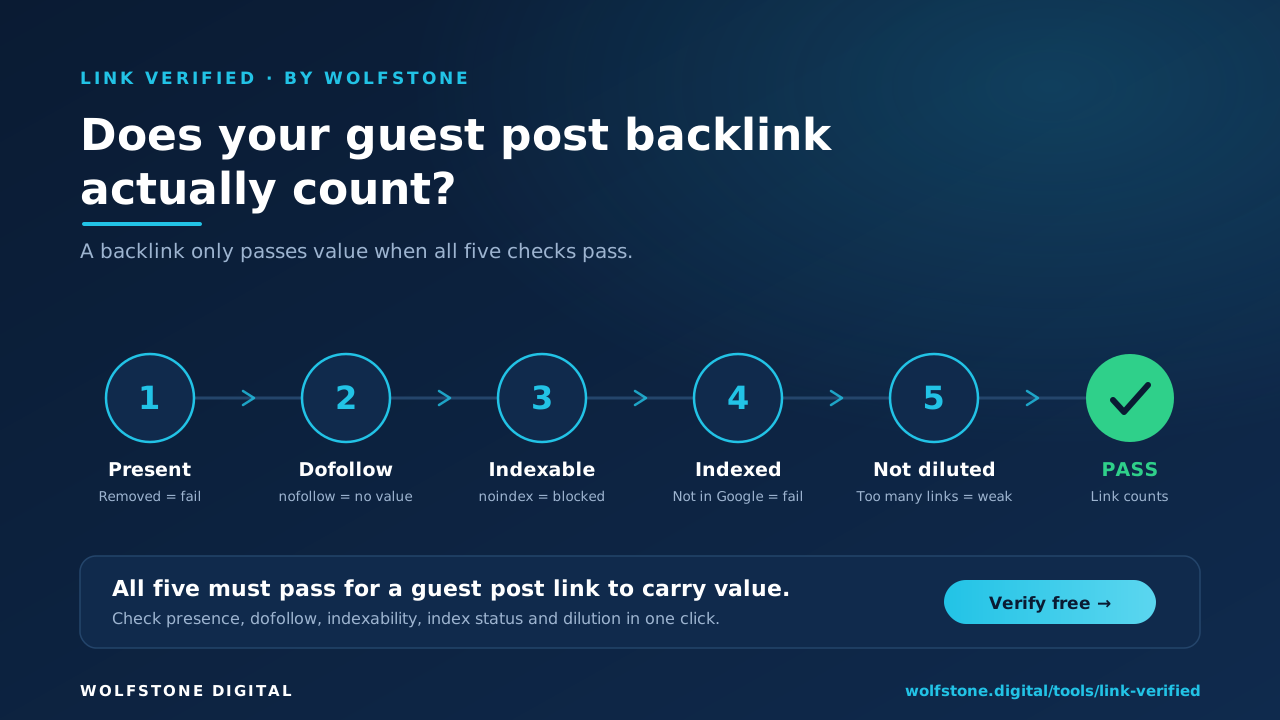
What makes a guest post backlink actually count?
A guest post link passes ranking value only when it is present on the live page, marked dofollow rather than nofollow, sponsored or ugc, sitting on a page Google has indexed, and not diluted across a long list of outbound links. Miss any one of these and the link is worth far less than you think, or nothing at all.
It has to be present, and stay present
The most basic failure is the link simply not being there. If you have bought more than a handful, it is worth stepping back to audit your backlink profile rather than checking them one at a time. Editors reformat posts, swap anchor text or drop links during a redesign, often without telling you. Link rot makes this worse over time: an Ahrefs study of more than two million domains found that 66.5% of links had died within roughly nine years (Ahrefs, link rot study).
It has to be dofollow, not nofollow, sponsored or ugc
Google lets publishers qualify outbound links with three rel attributes. Per Google’s Qualify outbound links documentation, rel="sponsored" marks paid links, rel="ugc" marks user-generated content, and rel="nofollow" signals that Google should not associate your site with the linked page. Links carrying any of these are generally not followed, so they do not pass the ranking value most guest posts are chasing.
It has to be on a page Google has actually indexed
A page being live is not the same as it being in Google’s index. If the host page carries a noindex rule, is blocked in robots.txt or has simply never been indexed, your link passes no value at all. Google is clear that link attributes and indexing controls are separate things, so a flawless dofollow link on a deindexed page still counts for nothing.
It has to not be diluted to nothing
Every page shares its outbound ranking value across all the links it points out to. A link in a tight, well-edited article is worth more than the same link on a page stuffed with ninety outbound links. There is no magic number, but dilution is real and worth measuring.
Link Verified checks all five signals in a single pass. Verify a link now
Does a guest post link still count after it’s removed?
Often it does, for a while. SEOs have long observed a lag called the link echo, where a page keeps much of its ranking gain even after the backlink is removed, but the effect is temporary and not something to rely on.
The idea comes from Moz, where Rand Fishkin’s team built links to test pages, watched rankings rise, then removed the links and found the pages mostly held position rather than falling back. The pattern was nicknamed the link echo, or link ghost, and it has been observed, and debated, ever since.
The catch is that the echo is an observed behaviour, not a Google rule, and it fades. A removed link that is still propping up your rankings is living on borrowed authority, so treating it as “still working” is how you get blindsided when the echo finally runs out.
This is exactly why you monitor rather than assume. Knowing the moment a link is removed or switched to nofollow lets you replace it before the echo fades, which is what Link Verified’s monitoring is built to catch.
Are guest post links dofollow by default?
No. Plenty of publishers apply nofollow, sponsored or ugc to contributor links as a matter of policy, and Google’s guidance is that paid or link-intent placements should be qualified that way. A nofollow guest post link still sends referral traffic and brand exposure, it just will not move your rankings the way a dofollow link does.
Nofollow links are also more common than people assume. Ahrefs found that 10.6% of all backlinks to the top 110,000 sites are nofollow, with much smaller shares using ugc (0.44%) or sponsored (0.01%) (Ahrefs, SEO statistics). The practical lesson is simple: never assume a placement is dofollow, check it.
How to check if a guest post link is dofollow
There are three reliable ways to confirm a link’s rel status, from fully manual to one click.
Method 1: inspect the rel attribute
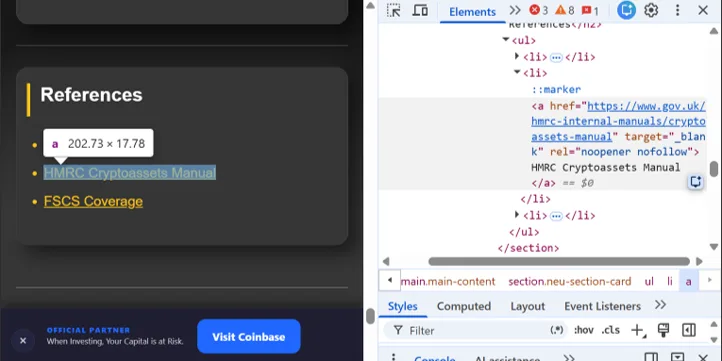
rel attribute in the Elements panel.Right-click the link on the live page and choose Inspect. Read the rel attribute on the anchor (<a>) tag: rel="nofollow", rel="sponsored" or rel="ugc" all mean the link does not pass standard ranking value, while no rel attribute means it is a follow link.
Method 2: view the page source
On Windows or Linux press Ctrl+U; on a Mac press Cmd+Option+U. That opens the raw page source, where Ctrl+F (Cmd+F on a Mac) lets you find your domain and read the anchor tag exactly as it was served. This is useful when a page injects or rewrites links after it loads.
Method 3: use a checker or browser extension
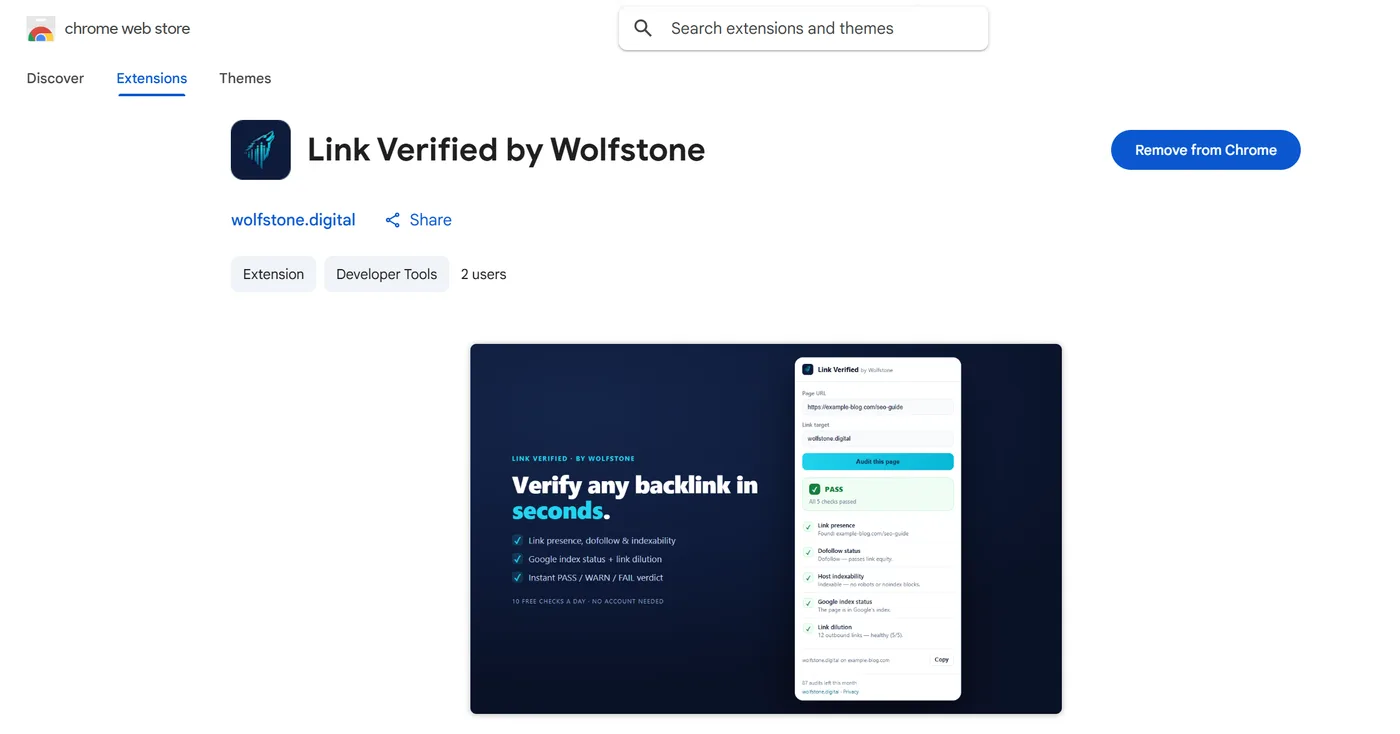
Inspecting by hand is fine for one link and tedious for fifty, which is the reason we built Link Verified. The free Chrome extension reads the rel attribute for you and runs the other four checks in the same click, then returns a single PASS, WARN or FAIL verdict. Ten checks a day, no account, so you can vet a placement without leaving the page it sits on.
How to check if a guest post page is indexed by Google
Confirming the link is dofollow is only half the job. You also need the host page to be in Google’s index, and there are two dependable ways to check. For the full walkthrough, including how to check in bulk, see how to check if a backlink is indexed.
The site: search method
Search Google for site: followed by the exact page URL, for example site:example.com/your-guest-post. If the page appears, it is indexed; if Google returns nothing, the page is not in the index, whatever its live status. It is quick, but only gives you a yes or no.
The URL Inspection tool in Search Console
For a definitive answer, run the URL through the URL Inspection tool in Google Search Console. It reports whether a page is indexed and why, but it only works for properties you own, so it suits checking your own site or a client’s verified property.
Why a live page is not the same as an indexed one
A page can return a 200 and still be invisible to search. A noindex meta tag, an X-Robots-Tag header or a robots.txt block can each keep a live page out of the index. Because these controls are separate from link attributes, the only way to be sure is to check index status directly.
How many outbound links is too many?
There is no fixed limit, but the more outbound links a page carries, the smaller the share of ranking value your link receives. A single contextual link in a focused article is far stronger than one of ninety links on a sprawling resource page.
This is what we mean by link dilution, and it is easy to overlook when you are focused on whether a link is simply present. Link Verified counts the outbound links on the page and scores how diluted your placement really is, so you can compare two placements on a like-for-like basis.
Are dofollow guest post links against Google’s guidelines?
A dofollow link in a guest post you paid for, or placed mainly to gain ranking value, can breach Google’s link spam policy. Google’s spam policies specifically name advertorials where payment is received for links that pass ranking credit, and links with optimised anchor text in guest posts, as examples of link spam.
Google’s long-standing guidance to publishers reinforces this. Its reminder on links in large-scale article campaigns asks sites to vet contributed articles and to apply rel="nofollow" to links of questionable intent. For your own link building the takeaway is to keep anchor text varied, treat genuinely paid placements honestly, and verify the status of every link so you know exactly what you have.
Your five-point guest post verification checklist
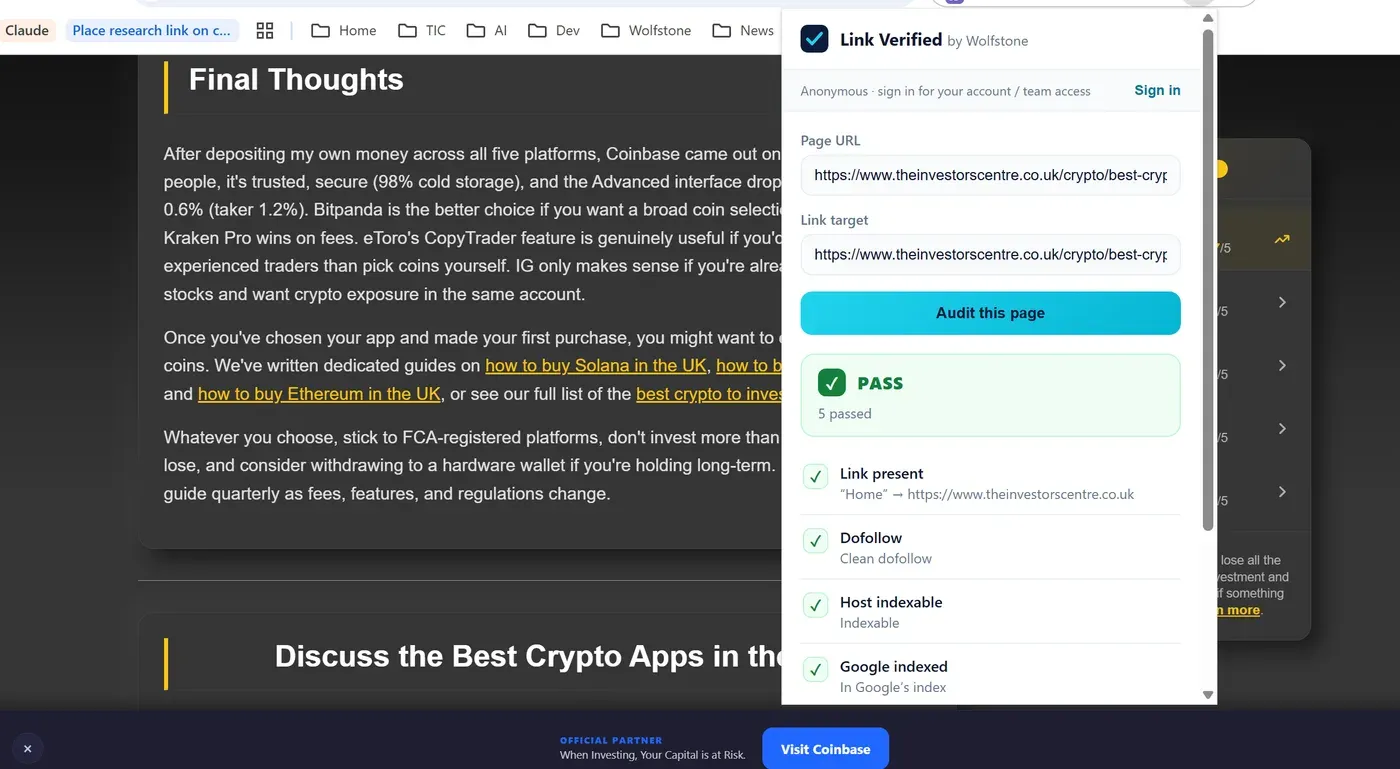
Before you count a guest post link as a win, confirm all five:
- Present: the link is on the live page with the agreed anchor.
- Dofollow: no nofollow, sponsored or ugc attribute.
- Indexable: no noindex, robots.txt block or X-Robots-Tag.
- Indexed: the page actually appears in Google’s index.
- Not diluted: the outbound link count is reasonable.
Run all five checks free with Link Verified, in your browser, in seconds. Add to Chrome · Verify a link now
Guest post backlink FAQs
Can a guest post link be removed after it is published? Yes. Editors can remove or alter links at any time, during redesigns, content audits or policy changes, which is why ongoing monitoring matters as much as the first check.
Does a nofollow guest post link have any value? It can still drive referral traffic and brand awareness, and it contributes to a natural-looking link profile, but it will not pass the ranking value a dofollow link does.
How often should I re-check my guest post links? For important placements, monthly is sensible, since links can be switched to nofollow or fall out of the index without notice. Link Verified can re-audit saved links daily and alert you when a status changes.
Can I check a guest post link before I pay for it? Yes. You can verify presence, dofollow status, indexability, index status and dilution on a published example before money changes hands, which is the best way to avoid paying for a link that does not count.
Verify your next link before you pay for it. Add to Chrome · Verify a link now
Related articles