

You can do most of your own SEO. Not all of it, and not overnight, but most of it. Google’s own documentation confirms the basics are learnable: there is no fee to appear in search results, no submission process required, and no secret handshake. What nobody tells you upfront is how long it actually takes, or which parts genuinely need a specialist. This guide fills both gaps.
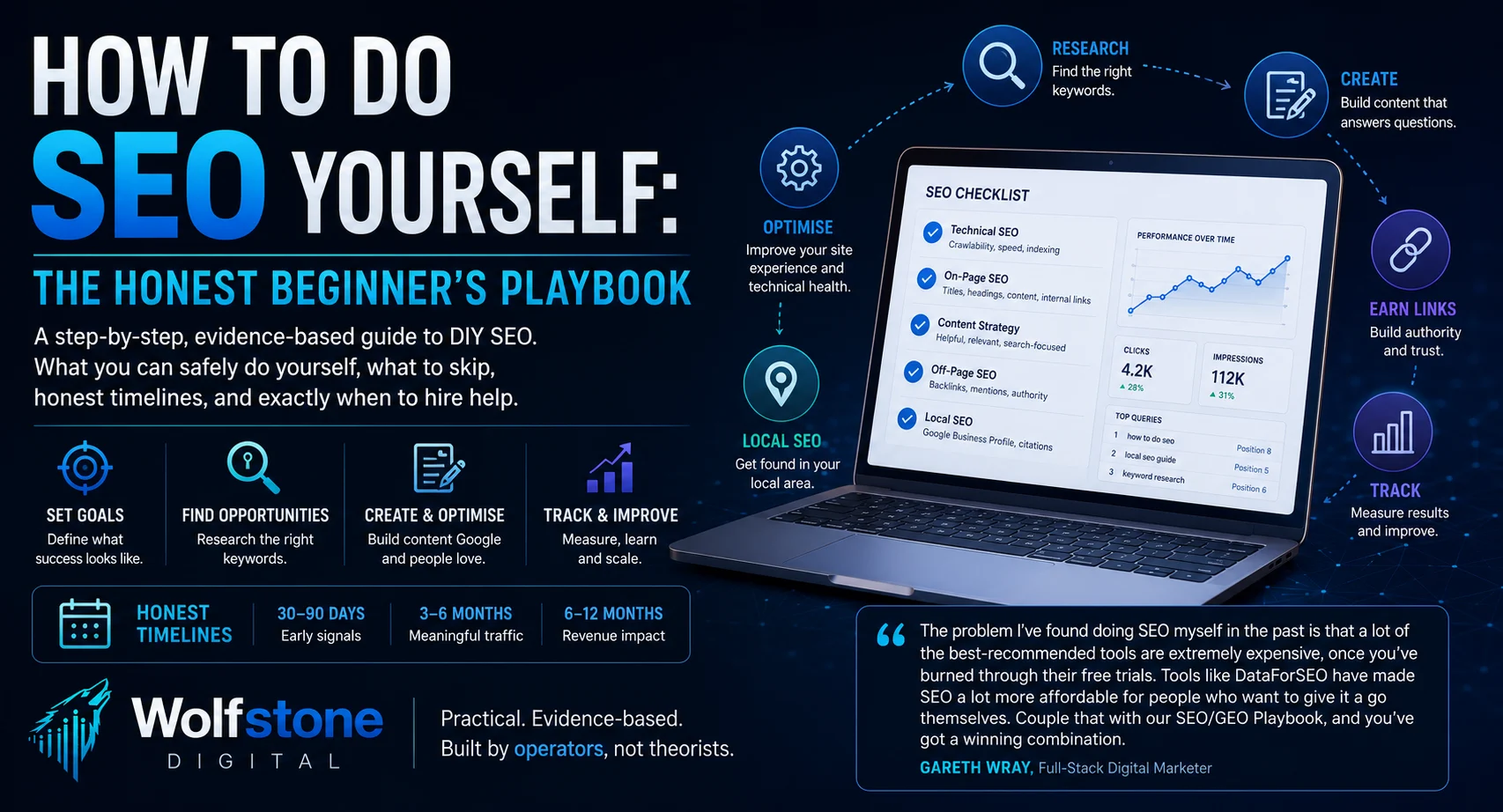
We run SEO for paying clients every day. This is the same process, written down for the version of you that wants to build it yourself first, and know exactly when to stop.
What is SEO, and what can you actually do yourself?
SEO (search engine optimisation) is the practice of making a website easier for search engines to find, understand and rank, and easier for the people using those search engines to trust and click on. It is usually split into four areas, and a beginner can own most of them:
- On-page SEO: titles, headings, copy, internal links. Essential, and fully DIY-able.
- Technical SEO: crawlability, indexing, site speed. Essential at a basic level; complex issues need a developer.
- Off-page SEO: backlinks, mentions, reputation. Useful, but slower to control than the other three.
- Local SEO: Google Business Profile, citations, location pages. Essential if you serve a local area.
Overcomplicated areas to ignore as a beginner: keyword density percentages, chasing third-party “authority” scores, and daily publishing schedules. None of these are things Google treats as ranking signals.
How long does DIY SEO actually take to work?
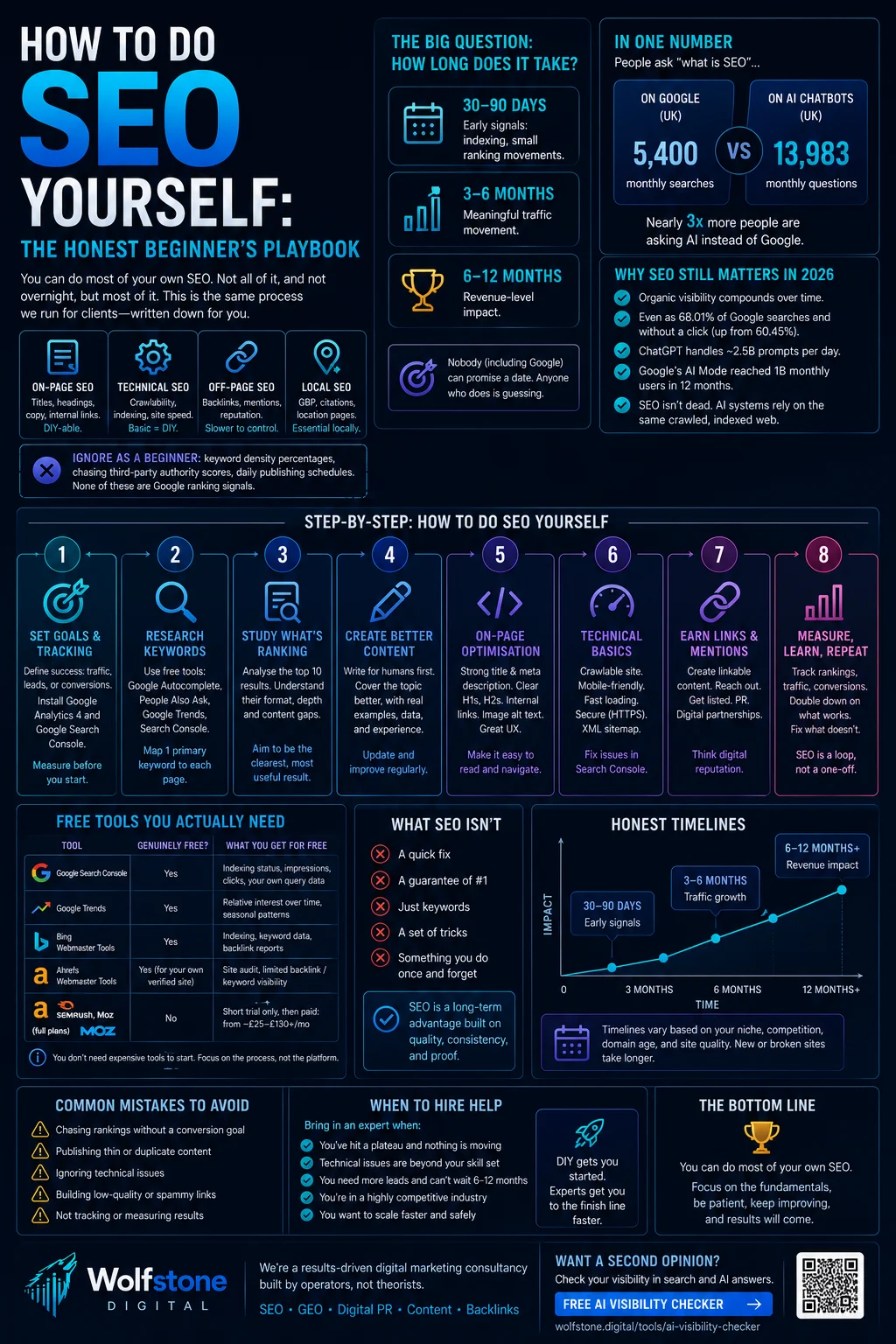
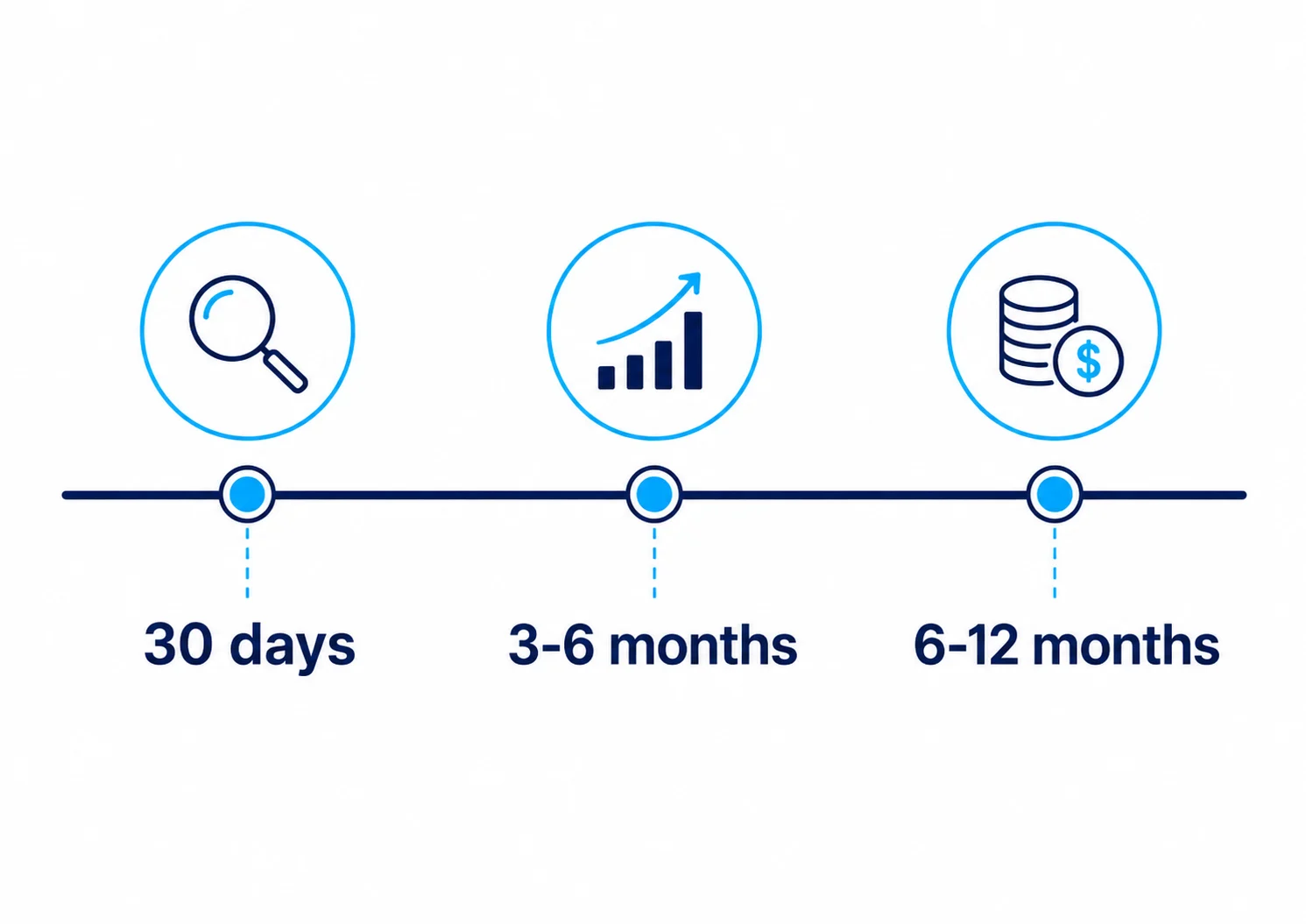
Longer than any page selling you a quick fix will admit. Google itself will not predict when or if a page will rank, but the honest range from the evidence is: early signals (indexing, small ranking movements) inside 30 to 90 days, meaningful traffic movement in 3 to 6 months, and revenue-level impact typically in 6 to 12 months.
That range holds for genuinely competitive queries, brand-new domains, and technically broken sites. It gets slower, not faster, if any of those apply to you. Nobody, including Google, can promise a date. Anyone who does is guessing, and every legitimate source agrees on that point even where they disagree on everything else.
Step-by-step: how to do SEO yourself
Here is the actual sequence, in the order we run it for clients. Skip nothing in the first four steps; the rest can flex around your time and resourcing.
1. Set measurable goals and install tracking
Before touching a single page, define what “working” means: target queries, leads, or conversions, not just “rank #1”. Set up Google Analytics 4 and Google Search Console (both free, both take under an hour) so you have a baseline to measure against later. The single most common beginner mistake is chasing rankings with no conversion goal attached to them.
2. Research keywords without paying for software
You do not need an expensive tool to start. Seed topics from your own products, customer questions, and competitor pages, then expand using Google’s free autocomplete, “People Also Ask”, and related searches, all free, no signup. Search volume should never be your only filter: low-volume, long-tail terms often convert better and are far easier to rank for than head terms.
| Tool | Genuinely free? | What you get for free |
|---|---|---|
| Google Search Console | Yes | Indexing status, impressions, clicks, your own query data |
| Google Trends | Yes | Relative interest over time, seasonal patterns |
| Bing Webmaster Tools | Yes | Indexing, keyword data, backlink reports |
| Ahrefs Webmaster Tools | Yes, for your own verified site | Site audit, limited backlink and keyword visibility |
| Ahrefs, Semrush, Moz (full plans) | No | Short trial only, then paid: from roughly £25 to £130+/month |
Map one primary keyword to each page. Multiple pages competing for the same term (keyword cannibalisation) is a more common failure mode than picking the “wrong” keyword in the first place.
“The problem I’ve found doing SEO myself in the past is that a lot of the best-recommended tools are extremely expensive, once you’ve burned through their free trials. But tools like DataForSEO have made SEO a lot more affordable for people who want to give it a go themselves. Couple that with our SEO/GEO Playbook, and you’ve got a winning combination.”
Gareth Wray, Growth systems strategist
Worth flagging: DataForSEO is not a beginner dashboard like the tools above, it is a data API, so it takes a bit more technical setup than signing up and clicking around. But it charges per data call rather than a flat monthly fee, which is exactly why it has opened SEO data up to people who would otherwise be priced out by the big platforms’ subscription tiers.
3. Study what is already ranking
Search your target term and look honestly at the top 10 results: their format, depth, and what they cover that you do not yet. The goal is not to copy them, it is to spot the gap they have left open. This takes an hour or two per topic and tells you more than any keyword tool will.
4. Optimise your content and on-page basics
Use your target term naturally in the title tag, H1, and first paragraph. Keep URLs short and descriptive. Write for the person reading, not the algorithm: Google’s own quality guidance asks creators to demonstrate genuine first-hand knowledge and produce original value, not to hit a checklist. One thing to unlearn: meta descriptions do not influence rankings directly, though a well-written one still affects whether people click your result.
5. Fix the technical basics
Most technical SEO is either a five-minute fix or a job for a developer. Know which is which before you start:
| Issue | Beginner-fixable? | When to call a developer |
|---|---|---|
| HTTPS / SSL | Yes: most hosts offer one-click SSL | Complex mixed-content on legacy sites |
| Broken links, missing or duplicate titles | Yes | n/a |
| XML sitemap | Yes: most platforms auto-generate | Large dynamic sites with faceted navigation |
| Core Web Vitals / page speed | Basic image and plugin fixes, yes | JavaScript-heavy or custom-coded performance issues |
| Structured data (schema) | Basic plugin schema, yes | Complex or custom ecommerce schema |
| JavaScript rendering / indexing | Rarely | Yes, this one usually needs a developer |
A free crawl (Screaming Frog covers up to 500 URLs) and Search Console’s Coverage report will surface most of this. Do not panic over every warning: Google’s own indexing FAQ notes that many “not indexed” statuses are expected and intentional, not errors.
That JavaScript row matters more than it used to. If your key content only appears after scripts run, AI crawlers in particular may never see it, which we covered in why your pricing page might not exist to AI.
6. Set up Google Business Profile, if you are local
If you serve a physical area, this is one of the highest-leverage things you can do yourself. Google’s own playbook states that complete profiles get 7x more clicks and updated profiles get 5x more views than incomplete ones. Fill in category, hours, photos, service area, and post updates regularly. Keep your name, address, and phone number identical everywhere they appear online. We cover the fuller version of this in our local SEO service breakdown.
7. Earn links the safe way
Legitimate link building looks like: genuinely useful resources worth citing, digital PR, guest expertise, professional listings, and reclaiming unlinked brand mentions. It does not look like paid links, link exchanges, or spammy directories, all explicitly treated as link schemes that can trigger a penalty. One myth worth killing here: Google’s John Mueller has repeatedly and explicitly stated Domain Authority is not used in Google’s algorithm at all. It is a third-party Moz metric, not a ranking factor, however often it gets treated as one. We have written up the mechanics of link quality in more depth in our guide to dofollow vs nofollow links.
8. Measure results properly, monthly not weekly
Review impressions, clicks, and conversions in Search Console and GA4 once a month. Weekly fluctuation is normal and usually meaningless. Judging a page’s performance after seven days is the fastest way to abandon something that was about to work.
And do not measure position on its own. Here is a real example from The Investors Centre, the UK finance site our team built and still runs, taken from its Search Console data for the 90 days to 31 July 2026:
| Page | Average position | Impressions | Clicks |
|---|---|---|---|
| Millionaires guide, quick-answer section | 5.6 | 34,537 | 3 |
| Millionaires guide, UK-numbers section | 5.6 | 33,701 | 0 |
| eToro vs Coinbase review | 3.3 | 18,505 | 15 |
Position 5.6. Thirty-four thousand impressions. Three clicks.
Those first two rows are not even the page ranking, they are a section of it: Google indexed the jump link to one heading and served that fragment, so the answer got read in the results and the visit never happened. A rank tracker would have reported all three of those as wins.
This is why step 1 said to define what “working” means in leads or conversions. If you only watch position, you can spend six months celebrating a number that is not sending you anybody.
Common DIY SEO myths, debunked
| Claim | Verdict | Why |
|---|---|---|
| ”You need to publish every day” | False | No ranking benefit is tied to publishing frequency; relevance and quality matter more |
| ”Longer content always ranks better” | False | Google’s John Mueller has stated word count is “not a ranking factor" |
| "Meta descriptions directly improve rankings” | False | Confirmed by Google as not a ranking signal, though they affect click-through rate |
| ”Domain Authority is a Google ranking factor” | False | Google has repeatedly stated it does not use Domain Authority, a third-party Moz metric |
| ”You must submit your website to Google” | False | Google’s own guidance says submission is not required; crawlers find sites via links and sitemaps |
| ”More backlinks always means better rankings” | False, or it depends | Quality and relevance matter more than raw quantity; manipulative link building risks a penalty |
| ”AI-written content is automatically penalised” | False | Google penalises content made at scale to manipulate rankings, regardless of whether it is AI-written or human-written |
When should you stop DIYing and hire help?
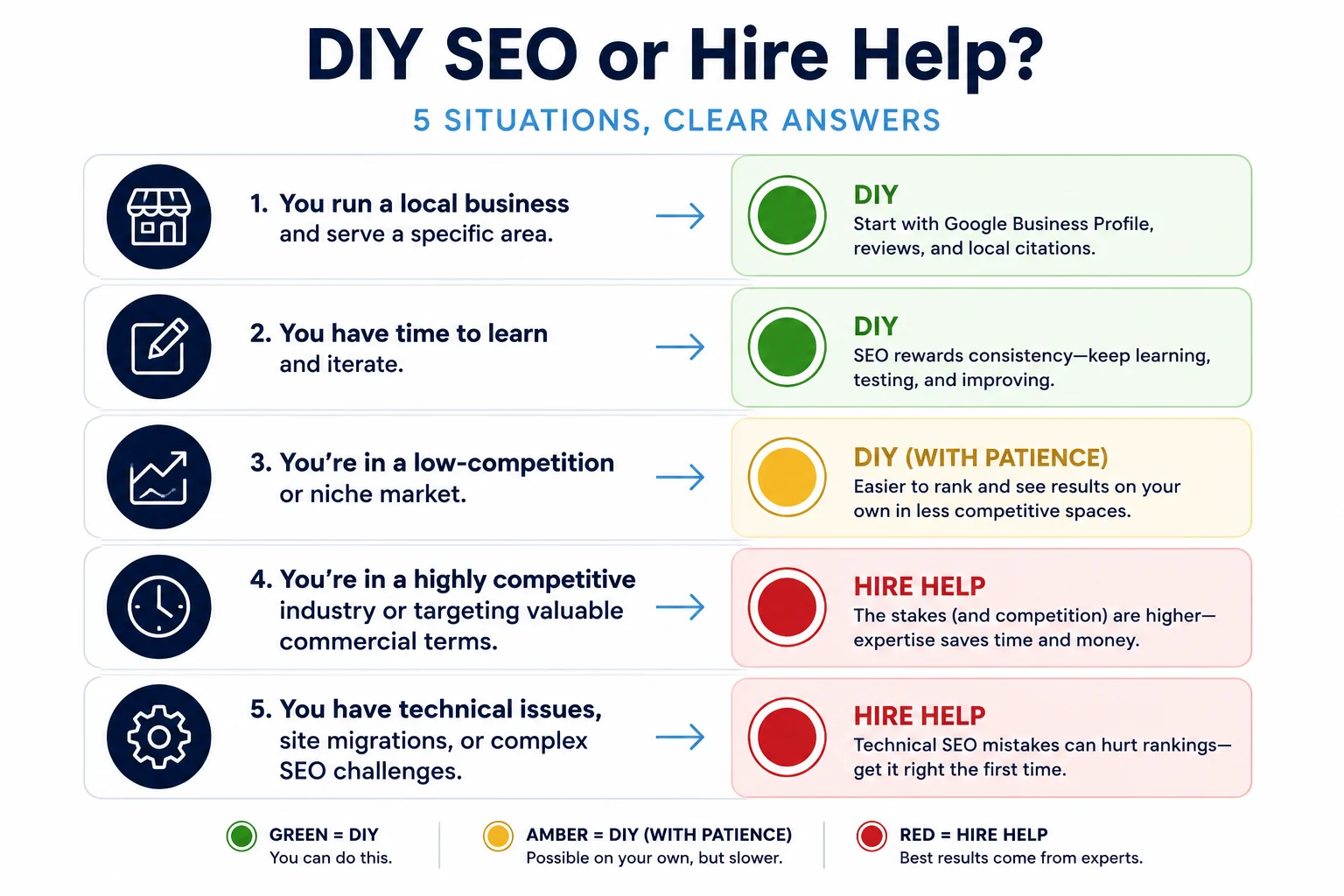
| Situation | Recommended path |
|---|---|
| Basic on-page fixes, Google Business Profile, content writing | Do it yourself |
| Sitemap generation, basic schema, plugin-based fixes | Use a tool or plugin |
| JavaScript rendering, complex redirects, site speed at code level | Ask a developer |
| Ongoing strategy, competitive positioning, content planning at scale | Hire a freelance consultant |
| Migration, manual-action recovery, multi-market or enterprise-scale sites | Hire an agency or specialist |
Migrations carry real risk (a wrong redirect map can tank rankings overnight), and manual-action recovery requires precise, documented remediation before Google will reconsider a site. Large ecommerce catalogues, heavily JavaScript-rendered sites, and international SEO are the other places where specialist help reliably earns back more than it costs.
If you are trying to work out what that help should cost before you ask anyone, we publish real UK ranges in how much does SEO cost in the UK, including our own audit price. The questions to put to anyone you shortlist are in how to choose an SEO agency.
A realistic 30/60/90-day DIY SEO plan
| Timeframe | Priority activities | Expect |
|---|---|---|
| Days 1 to 30 | GA4 and Search Console setup, fix critical technical errors, complete Google Business Profile, basic keyword mapping | Foundation laid, low risk, mostly free |
| Days 31 to 60 | Optimise existing titles and headings, publish 2 to 4 intent-matched pages, start structured internal linking, begin outreach for a handful of quality backlinks | Early indexing and minor ranking movement |
| Days 61 to 90 | Review Search Console data, update underperforming pages, expand local citations, fix remaining Core Web Vitals issues | Compounding signal, still not revenue yet |
Treat everything in this window as early signal, not proof of failure or success. The 3 to 6 month mark is where you will know whether it is actually working.
FAQs
Do I need to submit my site to Google? No. Google’s own guidance confirms sites are found automatically through links and sitemaps once they are crawlable.
How long until I see results? Early signals in 30 to 90 days, meaningful traffic typically in 3 to 6 months, revenue impact often in 6 to 12 months.
Is AI-written content bad for SEO? Not inherently. Google penalises low-value content made at scale to manipulate rankings, not the use of AI itself.
Do I need paid tools to do SEO? No. Search Console, Bing Webmaster Tools, Google Trends, and Ahrefs Webmaster Tools’ free tier cover most of what a beginner needs.
When should I hire an SEO professional? For migrations, manual-action recovery, complex technical issues, or when consistent effort stops moving the needle. See the decision table above.
Should I be optimising for AI search as well? Increasingly, yes. The foundations are the same, but the measurement is different. Generative engine optimisation explains what changes once buyers start asking assistants instead of typing into Google.
Where this leaves you
Everything above is the process. Run it properly and you will get real, if slow, results. If you would rather see where your brand already stands before you start, our free AI Visibility Checker shows you how visible you are right now, in both Google and the AI answers increasingly sitting above it. And if you want the compressed version of this whole system, the 90-day build we actually run for clients, grab the free SEO/GEO Playbook rather than assembling it page by page from guides like this one.
References
- Google Search Indexing and Ranking FAQ
- Content Length: Is It a Google Ranking Factor?
- Are Meta Descriptions A Google Ranking Factor?
- How Long Does SEO Take to Work in 2026?
- How Long Does SEO Take? Month-by-Month Results Timeline
- Ahrefs: Plans and Pricing
- Creating Helpful, Reliable, People-First Content
- GBP Best Practices Playbook 2026
- Spam Policies for Google Web Search
- Domain Authority: Is It A Google Ranking Factor?
- Google’s March 2024 core update and spam policies
- Google Search’s guidance on using generative AI content